8 Creative Ways to Customize Your 3D Printed Dragons
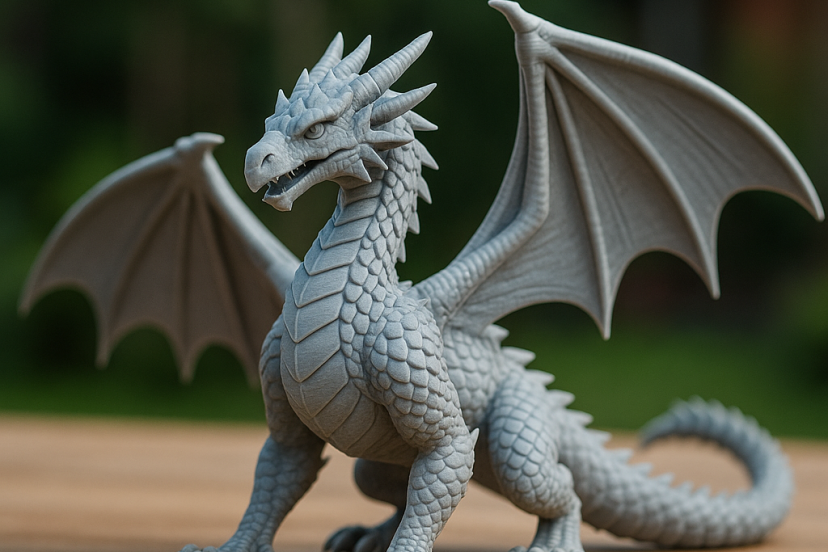
Customizing your 3D printed dragons is one of the simplest ways to improve their detail, durability, and overall impact. Even small changes—like better paint techniques, alternative materials, or smarter slicing settings—can make a basic model look far more refined. Whether you want sharper scales, smoother wings, or stronger movable parts, the right customization approach helps you get more out of every print. This guide walks through practical, creative ways to upgrade your dragons using methods that work for beginners and experienced makers alike.
1. Start With Scales: Enhance Texture for Realistic Detail
The scales give your dragon personality. Smooth scales feel regal and polished, while rugged, sharp scales evoke power and danger. If you want your dragon to stand out, enhancing its texture is one of the best places to start.
Use Multi-Layer Slicing for Depth
Modern slicers allow you to vary layer height throughout the model. This means you can print delicate areas such as the snout or crest at thin layers (0.08 mm–0.12 mm) while giving the torso a slightly thicker layer for defined scales. The contrast adds natural dimensionality without requiring any sculpting.
Choose Filaments That Compliment Texture
Different materials create different moods:
- Silk PLA gives dragons a glossy, mystical glow.
- Matte PLA creates realistic, earthy scales.
- PLA+ maintains crisp details while boosting durability.
- Metal-infused or wood filaments add subtle grit and age.
By combining slicing strategy with the right filament, you can craft a dragon that looks far more detailed than the model alone suggests.
2. Experiment With Paint Techniques for Depth and Drama
Painting is where your dragon comes alive. Even simple models transform once you add color, shadow, and highlight.
Dry Brushing for Highlighted Scales
Dry brushing is ideal for dragons with pronounced texture. Start with a dark base coat, then gently sweep a mostly-dry brush across raised surfaces. This technique highlights every ridge and gives the scales a natural, weathered appearance.
Airbrushing for Smooth Gradients
If you want fiery wings, icy gradients, or magical color transitions, airbrushing allows you to blend pigments with almost cinematic smoothness. It’s especially effective on large dragons where transitions need to be gradual.
Airbrushing also keeps paint layers thin, preserving all the fine detail you worked hard to print.
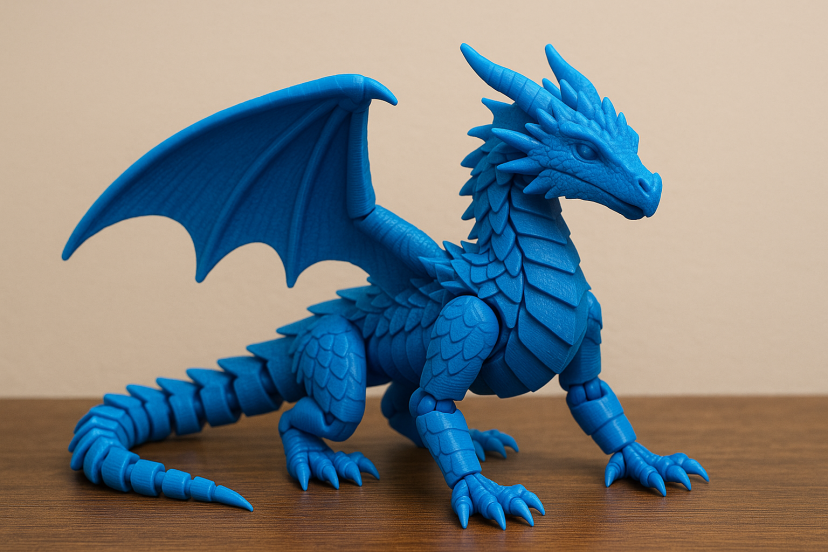
3. Add Articulated Joints for Poseable Fantasy Models
Articulated dragons are popular for a reason—they’re just fun. If you want your dragon to be poseable, consider customizing joints:
- Ball joints offer natural movement for heads and tails.
- Hinge joints work beautifully on wings and legs.
- Segmented tails add lifelike motion.
Even if your base stl wasn’t articulated, you can modify it in Blender or Meshmixer. A few subtle cuts and hinge placements can transform a static model into something dynamic and interactive.
If you want extra practice working with moving parts, you might enjoy experimenting with smaller mechanical builds like 3D-printed STEM toys, which are great for improving joint design and print precision
4. Mix Materials for Hybrid Effects
You don’t need to stick to one filament. Blending materials opens the door to creative, hybrid designs.
Some hobbyists print:
- PLA bodies with TPU wings for soft, organic movement
- Resin claws or horns for extremely sharp detail
- Glow-in-the-dark spikes to create nighttime effects
- Metallic horns for shimmering highlight points
These contrasts give your dragon visual richness and tactile variety that feels almost sculptural.
5. Personalize the Wings for Shape, Motion, and Expression
A dragon’s wings define its presence. Massive wings give your model a sense of power, while small curved wings create a gentler, fairy-tale charm.
Wing customization ideas include:
- Thickening wing bones for stronger silhouettes
- Thinning membranes for translucency
- Adding rips or burn patterns for battle-worn dragons
- Reposing wings to suggest flight, rest, or aggression
For crisp results, print wings separately and modify their orientation on the build plate. This improves layer lines and reduces print flaws.
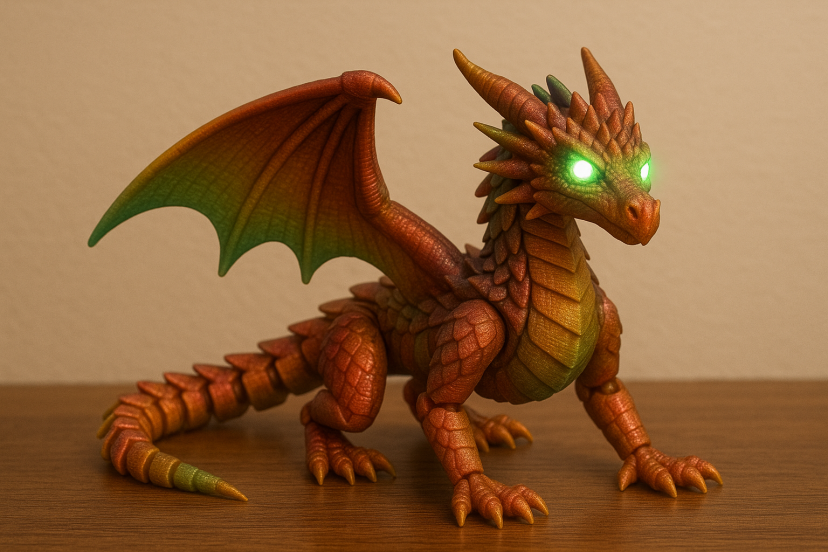
6. Integrate LEDs for Glowing Eyes, Chests, or Fire Breaths
Glowing dragons turn heads—literally. LEDs are surprisingly easy to integrate even into moderate-sized prints.
You can:
- Illuminate eyes for an ominous stare
- Add a glowing chest cavity for “inner magic”
- Print a translucent flame and light it from behind
- Insert LEDs along the spine for a cosmic or volcanic effect
Use transparent PLA for illuminated areas and lightly sand them for smooth light diffusion.
7. Create Custom Bases, Terrains, and Dioramas
A dragon feels more complete when displayed in its natural habitat.
Try crafting bases inspired by:
- rocky mountain cliffs
- molten lava flows
- enchanted forests
- frost-covered caverns
- crumbling ruins
You can remix assets, sculpt terrain in Blender, or print ready-made textures. Terrain is forgiving and fun to paint, making it an ideal way to elevate your model.
8. 3D Print Add-Ons: Accessories, Armor, and Magical Props
Accessories give your dragon character and story. A few popular customization pieces include:
- Armor plates
- Horn extensions
- Magical crystals
- Fire-breath nozzles
- Decorative chains
- Battle scars
- Removable treasure hoards
Most of these snap into place, glue on, or attach magnetically. Even small accessories help define the story behind your dragon.
Recommended Tools & Materials
Before you dive into customization, here are some tools hobbyists rely on to bring out the best in their models:
- Vallejo Basic USA Acrylic Paint Set – Vibrant pigments perfect for dragons.
- Elegoo Mars 4 Resin Printer – Ideal for accessories and ultra-detailed parts.
- Dremel Lite 7760 Rotary Tool – Great for smoothing seams and refining scale texture.
- Compressed Airbrush Kit – For painting gradients, shading, and magical effects.
- SUNLU TPU Filament – Excellent for flexible wings and soft appendages.
These tools help you shape and finish dragons with professional finesse.
Why PLA Makes Better Dragon Prints
When you’re customizing 3D printed dragons, it helps to know how materials behave under different print conditions. A 2022 comprehensive review on PLA in fused-deposition modeling, published in Polymers, found that PLA consistently delivers excellent surface detail and dimensional accuracy—two things that matter enormously when printing scales, claws, and facial features. The review also showed that layer height, nozzle temperature, and print speed have a measurable impact on sharpness and strength, meaning the more carefully you tune these settings, the more lifelike your dragon can become.
A 2023 experimental study in Polymers reinforced this idea by showing how small adjustments to extrusion width and layer thickness significantly affect compressive strength and surface smoothness. This matters because articulated wings, long tails, and delicate horns rely on the right balance between durability and fine detail. Together, these studies confirm something experienced makers already feel in practice: customizing dragons isn’t just art—it’s material science. When you understand how print parameters influence strength and texture, you gain the power to create dragons that are both beautiful and structurally sound.
Final Thoughts
Customizing 3D printed dragons is simple, creative, and rewarding. Small changes can completely transform a model. You can sharpen details, improve strength, or add personality with paint and accessories. Every adjustment helps your dragon feel more unique. You don’t need advanced tools to get great results. Good slicer settings, the right materials, and a few creative techniques go a long way. Experiment, try new ideas, and build on what works. Happy printing!
FAQs
1. How can I make my 3D printed dragons look more realistic?
Use thin layers for detailed areas, choose filaments that enhance texture, and apply painting techniques like dry brushing and airbrushing.
2. What filament is best for printing dragons?
PLA or PLA+ work beautifully for detail. TPU is perfect for flexible wings, and resin excels at small, sharp accessories.
3. How do I add LEDs to my dragon model?
Print internal channels, use translucent filament for glow areas, and place LEDs behind the eyes or chest.
4. Can I articulate a dragon model that wasn’t designed for movement?
Yes. By modifying hinge or ball-joint placements in a modeling program, you can turn static dragons into poseable creations.
5. What’s the easiest way to create a custom base or terrain?
Use printed textures, sculpt terrain in Blender, or combine rocks, foam, and sand. Terrain is forgiving and fun to paint.