Top 10 FDM 3D Printers
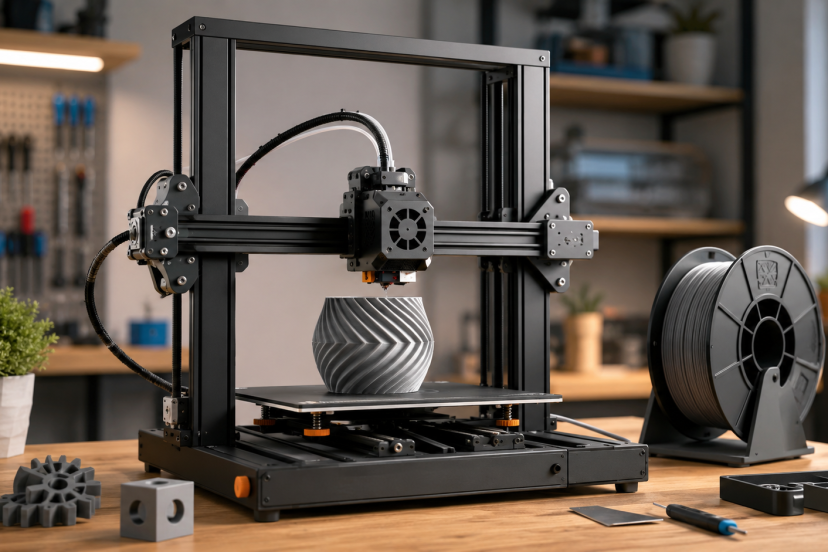
Buying your first 3D printer should be exciting, not a crash course in fixing loose belts and failed first layers. Today’s best FDM 3D printers offer automatic calibration, faster print speeds, direct-drive extruders, and software that removes much of the traditional setup work.
This guide compares ten highly rated FDM 3D printers choices for beginners, hobbyists, small businesses, classrooms, and experienced makers. Rather than choosing ten nearly identical machines, we focused on different use cases, including compact printing, multicolor projects, engineering materials, large models, and workshop versatility.
Our Top Picks
| Product | Best For | Key Feature | Rating | Read More |
| Bambu Lab P1S | Best overall | Enclosed CoreXY design | ★★★★⯪ | Read more |
| Bambu Lab A1 Mini | Beginners | Automatic calibration | ★★★★⯪ | Read more |
| Bambu Lab A1 Combo | Affordable multicolor printing | AMS Lite included | ★★★★⯪ | Read more |
| FLASHFORGE Adventurer 5M | EFast printing on a budget | 600mm/s CoreXY printing with auto leveling | ★★★★☆ | Read more |
| Creality K2 Plus Combo | Large multicolor models | 350mm cubed build area | ★★★★⯪ | Read more |
| Creality Ender 3 V3 SE | Budget-conscious makers | Automatic Z offset | ★★★★⯪ | Read more |
| Bambu Lab P1S Combo | Enclosed multicolor printing | AMS material system | ★★★★⯪ | Read more |
| FLASHFORGE AD5X | Fast four-color printing | Four-color IFS with CoreXY motion | ★★★★☆ | Read more |
| Creality Ender 3 Pro | Learning and upgrading | Huge modification community | ★★★★⯪ | Read more |
| Snapmaker 2.0 A350T | All-in-one workshops | Printing, CNC, and laser tools | ★★★★★ | Read more |
Top 10 FDM 3D Printers Reviewed
1. Bambu Lab P1S
Best for: Most home users and serious hobbyists
Rating: ★★★★⯪

The Bambu Lab P1S is our best overall choice because it combines an enclosed CoreXY frame, fast operation, reliable automatic calibration, and polished software. It is easier to live with than many traditional hobby printers while still supporting ambitious projects.
The enclosure makes it more suitable for materials that benefit from a controlled printing environment. Its 256 x 256 x 256mm build volume also provides enough room for organizers, prototypes, cosplay components, and batches of smaller parts.
Key features
- Enclosed CoreXY construction
- Automatic bed leveling
- 256 x 256 x 256mm build volume
- Built-in camera and remote monitoring
- Optional AMS compatibility
Pros
- Excellent balance of speed and reliability
- Minimal setup compared with traditional kits
- Enclosure expands material options
- Strong slicing and mobile-app ecosystem
Cons
- Proprietary replacement parts
- Touchscreen controls are basic
- Costs more than an open-frame beginner printer
Why we recommend it: The P1S is the sensible choice for buyers who want dependable results without turning every print into a repair project.
2. Bambu Lab A1 Mini
Best for: First-time users and small workspaces
Rating: ★★★★⯪

The A1 Mini proves that an entry-level printer does not need to feel primitive. It handles bed leveling, vibration compensation, and flow calibration automatically, helping beginners reach a clean first print with less trial and error.
Its 180 x 180 x 180mm build area is smaller than a full-size machine, but it is still practical for miniatures, desk accessories, toys, repair parts, and educational models. Bambu Lab specifies a maximum toolhead speed of 500mm/s and a 300°C hotend, although real-world settings should prioritize print quality over headline speed.
Key features
- Full automatic calibration
- Compact desktop footprint
- Quiet operation
- Direct-drive extruder
- Optional AMS Lite support
Pros
- Exceptionally beginner-friendly
- Good print quality without extensive tuning
- Easy nozzle changes
- Small enough for a home office
Cons
- Limited build volume
- Open frame is not ideal for ABS or ASA
- Multicolor printing requires an additional system
Why we recommend it: It removes many of the frustrating setup steps that cause new users to abandon 3D printing.
3. Bambu Lab A1 Combo
Best for: Accessible full-size multicolor printing
Rating: ★★★★⯪

The A1 Combo pairs the full-size A1 printer with the AMS Lite material system. That combination allows users to create colorful signs, decorative models, labels, educational projects, and prints with easy-to-remove support interfaces.
Unlike the smaller A1 Mini, the A1 offers a 256 x 256 x 256mm build volume. It also includes a 300°C all-metal hotend, automatic calibration, filament monitoring, and a color touchscreen.
Key features
- AMS Lite multicolor system
- 256mm cubed build area
- Automatic flow calibration
- Filament tangle detection
- Direct-drive extrusion
Pros
- Easy entry into multicolor printing
- Larger build plate than the A1 Mini
- Smooth, beginner-friendly workflow
- Good for PLA, PETG, TPU, and PVA
Cons
- AMS Lite takes up additional desk space
- Material changes create purge waste
- Open frame limits advanced filament use
Why we recommend it: This is one of the easiest ways to begin printing detailed multicolor projects without buying a premium enclosed machine.
4. FLASHFORGE Adventurer 5M
Best for: Fast, affordable everyday printing
Rating: ★★★★☆

The FLASHFORGE Adventurer 5M delivers impressive speed and beginner-friendly automation without pushing buyers into the premium price range. Its rigid all-metal CoreXY structure can reach a maximum travel speed of 600mm/s and acceleration of up to 20,000mm/s², making it a practical choice for rapid prototypes, household parts, organizers, toys, and small production runs.
Setup is refreshingly simple. One-click automatic bed leveling handles the first-layer calibration, while the flexible PEI build plate provides good adhesion and makes completed models easier to remove. The printer arrives approximately 95% assembled, so most users only need to attach the display and spool holder before getting started.
The direct-drive extruder reaches 280°C and supports interchangeable 0.25mm, 0.4mm, 0.6mm, and 0.8mm nozzles. Its quick-release nozzle design allows a nozzle to be removed in seconds, which is particularly convenient when switching between detailed models and faster, thicker-layer prints.
Key features
- 220 x 220 x 220mm build volume
- Maximum travel speed of 600mm/s
- Maximum acceleration of 20,000mm/s²
- One-click automatic bed leveling
- All-metal CoreXY motion system
- 280°C direct-drive extruder
- Wi-Fi, Ethernet, and USB connectivity
Pros
- Much faster than traditional entry-level bed-slinger printers
- Automatic leveling simplifies setup
- Stable CoreXY structure reduces vibration at higher speeds
- Quick-release nozzle makes maintenance easier
- Practical build volume for most home projects
- Supports FlashPrint, Orca-Flashforge, and Orca Slicer
Cons
- Open-frame design offers limited temperature control
- No built-in camera
- Does not support automatic multicolor printing
- FLASHFORGE does not recommend the open Adventurer 5M for ABS-series filament
- Customer rating is below the roundup’s preferred 4.3-star threshold
Why we recommend it: The Adventurer 5M is a strong value for buyers who prioritize speed, automatic calibration, and straightforward operation.
5. Creality K2 Plus Combo
Best for: Large multicolor prints
Rating: ★★★★⯪

The K2 Plus Combo is a serious machine for helmets, costume pieces, architectural models, large prototypes, and production batches. Its 350 x 350 x 350mm build volume provides substantially more room than the standard 256mm format.
The package includes Creality’s CFS multicolor system and supports advanced materials through an enclosed design, high-temperature nozzle, and actively heated chamber. Dual cameras add remote monitoring and print-failure detection.
Key features
- 350mm cubed build volume
- CFS multicolor system
- Heated chamber
- Dual AI cameras
- Automatic bed leveling
Pros
- Excellent capacity for large projects
- Multicolor and multi-material capability
- Strong frame construction
- Wide filament compatibility
Cons
- Extremely heavy
- Requires substantial floor or bench space
- Customer support feedback is mixed
Why we recommend it: It offers capabilities that smaller desktop printers simply cannot match, especially for cosplay and commercial work.
6. Creality Ender 3 V3 SE
Best for: Affordable hands-on learning
Rating: ★★★★⯪
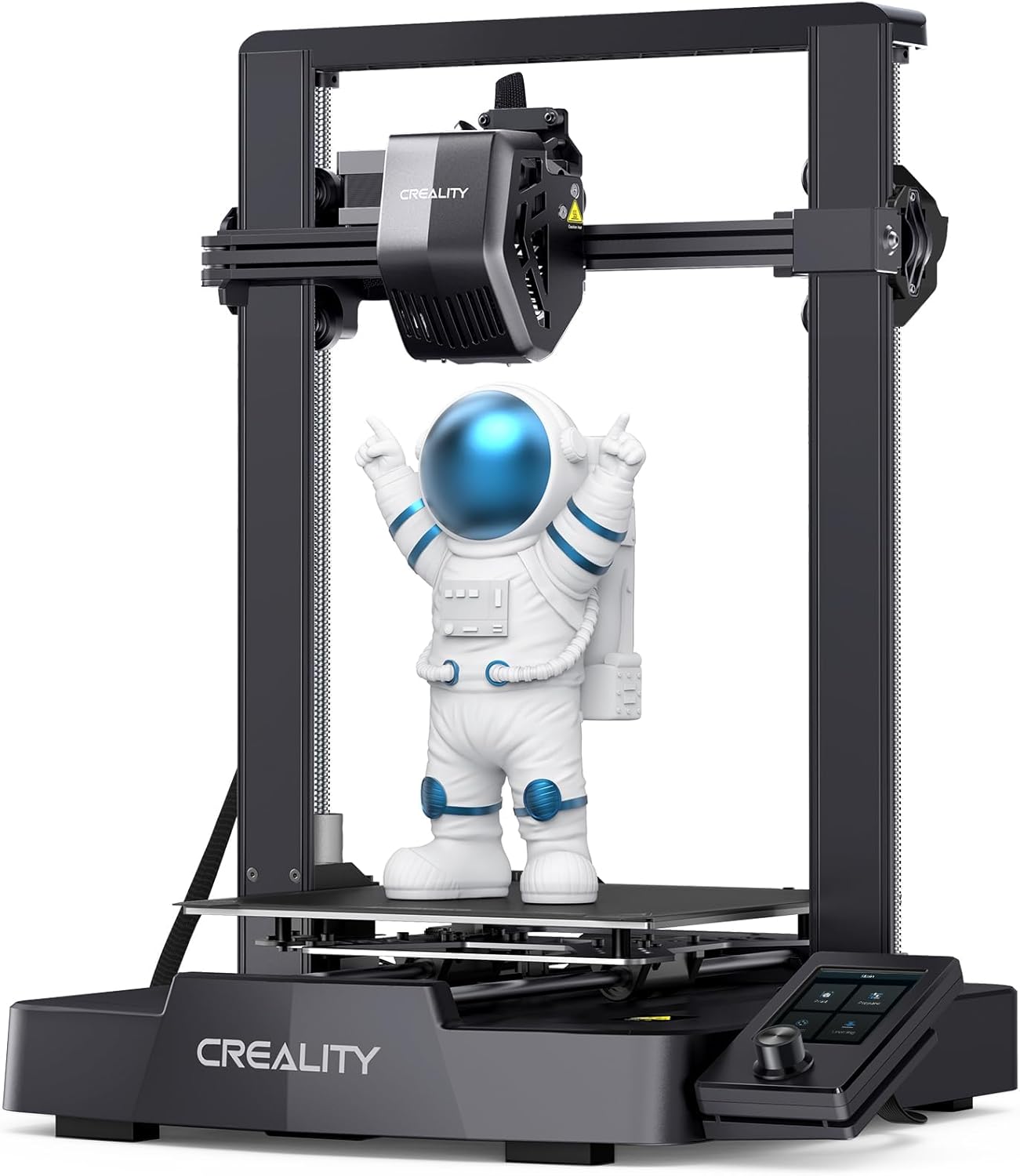
The Ender 3 V3 SE modernizes the familiar Ender formula with CR Touch leveling, an automatic Z offset, direct-drive extrusion, and quicker assembly. It remains more hands-on than a Bambu printer, but that can be useful for makers who want to understand the hardware.
Its 220 x 220 x 250mm build volume works well for everyday household parts, models, brackets, and school projects.
Key features
- CR Touch automatic leveling
- Automatic Z-offset adjustment
- Sprite direct-drive extruder
- Dual Z-axis system
- Up to 250mm/s advertised speed
Pros
- Accessible entry price
- Large user community
- Easy-to-find replacement parts
- Straightforward assembly
Cons
- No built-in Wi-Fi
- More manual maintenance
- Open-frame design
Why we recommend it: It is a better fit than a fully automated printer for users who enjoy learning how each component works.
7. Bambu Lab P1S Combo
Best for: Enclosed multicolor projects
Rating: ★★★★⯪

The P1S Combo adds an Automatic Material System to the already capable P1S. It is particularly useful for multicolor products, signs, commercial models, labeled organizers, and prints that use a separate support material.
The enclosed frame gives it a meaningful advantage over the A1 Combo when working with temperature-sensitive materials. The trade-off is greater cost and additional filament waste during color changes.
Pros
- Reliable multicolor workflow
- Enclosed printing chamber
- Automatic filament switching
- Suitable for demanding projects
Cons
- Higher purchase cost
- Purging increases material consumption
- AMS works poorly with very soft TPU
Why we recommend it: Choose this over the standard P1S when multicolor output will be a regular part of your workflow.
8. FLASHFORGE AD5X
Best for: Fast, affordable four-color printing
Rating: ★★★★☆

The FLASHFORGE AD5X is designed for makers who want multicolor printing without moving into a much larger or more expensive machine. Its Intelligent Filament System automatically feeds and switches between as many as four filament colors, making it useful for signs, toys, decorative models, educational projects, branded prototypes, and personalized gifts.
Its direct-drive extruder reaches 300°C and works with interchangeable 0.25mm, 0.4mm, 0.6mm, and 0.8mm nozzles. The standard 0.4mm nozzle provides a useful balance between detail and speed, while the optional sizes let users prioritize intricate surfaces or faster production.
Key features
- Four-color Intelligent Filament System
- 220 x 220 x 220mm build volume
- Maximum travel speed of 600mm/s
- Maximum printing speed of 300mm/s
- Acceleration of up to 20,000mm/s²
- One-click automatic bed leveling
- 300°C direct-drive extruder
Pros
- Prints with as many as four colors automatically
- Faster than conventional entry-level bed-slinger printers
- Full automatic leveling reduces initial setup work
Cons
- Open-frame construction does not control chamber temperature
- Multicolor changes increase printing time and filament waste
- Camera and chamber lighting are optional rather than standard
- Four filament spools still require additional space beside the printer
Why we recommend it: The AD5X offers an appealing mix of CoreXY speed, automatic calibration, and four-color capability at a more accessible level than many premium multicolor printers.
9. Creality Ender-3 V3 KE
Best for: Fast printing with upgrade flexibility
Rating: ★★★★☆
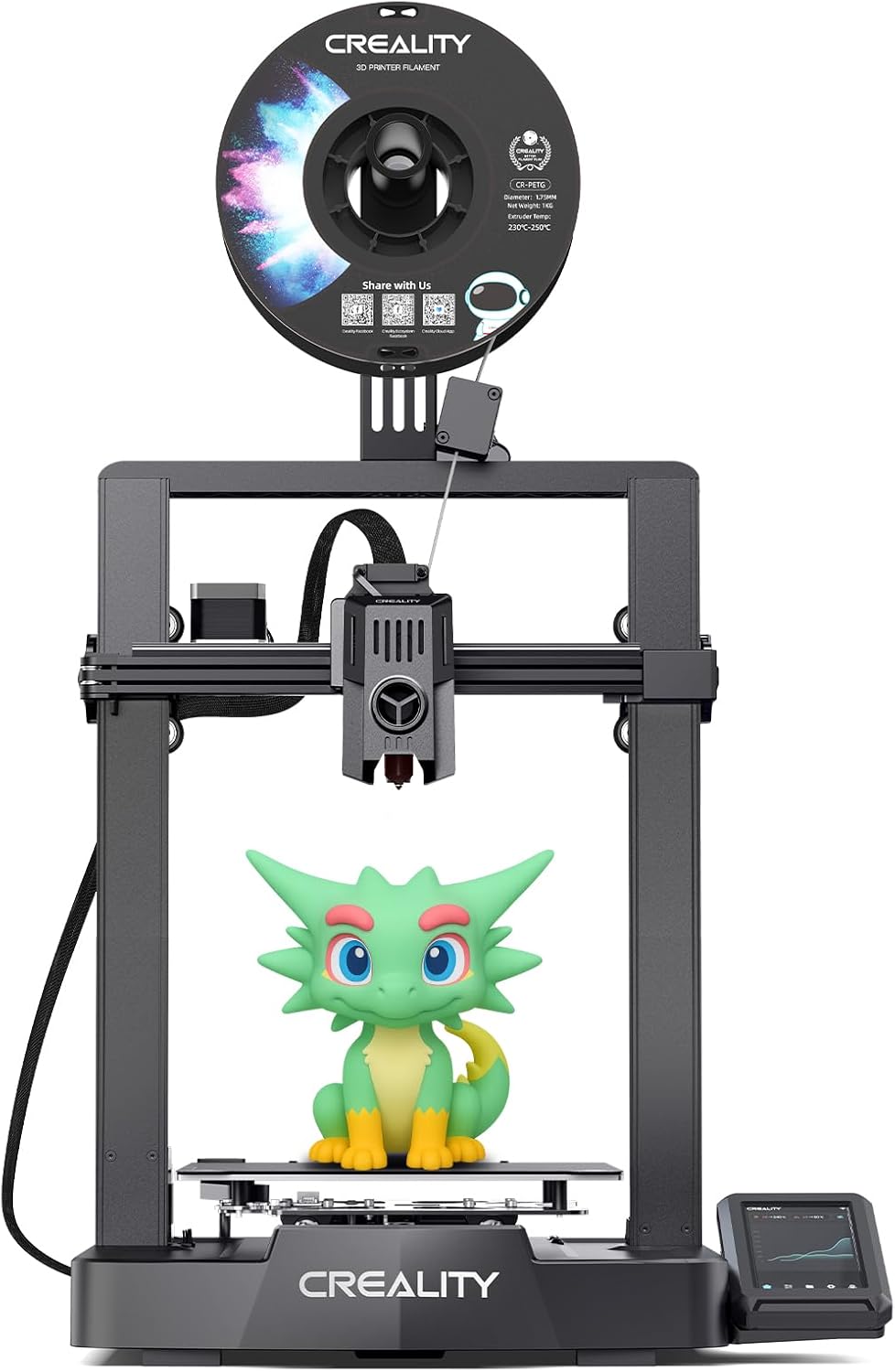
The Creality Ender-3 V3 KE combines modern speed with the hands-on flexibility the Ender series is known for. It offers automatic bed leveling, Wi-Fi connectivity, a direct-drive extruder, and printing speeds of up to 500mm/s.
Its 220 x 220 x 240mm build volume suits household parts, toys, organizers, prototypes, and decorative models. The 300°C hotend supports PLA, PETG, TPU, ABS, ASA, and other common materials, although an enclosure is recommended for warp-prone filaments.
Key features
- 220 x 220 x 240mm build volume
- Up to 500mm/s printing speed
- Automatic leveling and Z offset
- Klipper-based Creality OS
- 300°C direct-drive extruder
- Wi-Fi and LAN connectivity
Pros
- Fast printing performance
- Easy automatic calibration
- Broad filament compatibility
- Large community and upgrade support
Cons
- Open-frame design
- Camera sold separately
- Requires some tuning at high speeds
Why we recommend it: The Ender-3 V3 KE is a strong choice for hobbyists who want modern automation and speed without giving up repairability and upgrade potential.
10. Snapmaker 2.0 A350T
Best for: Makers who also need CNC and laser tools
Rating: ★★★★★*
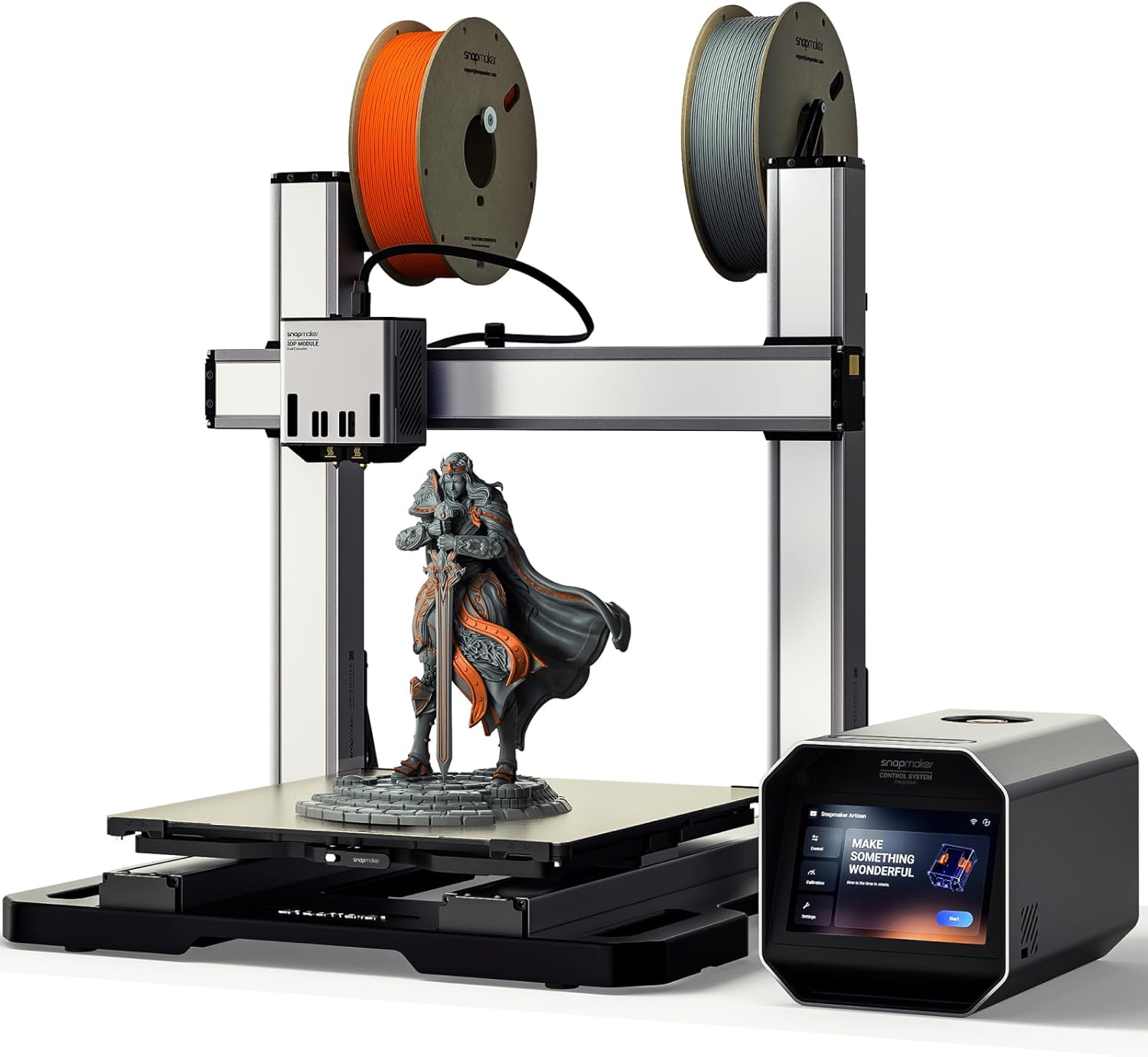
The Snapmaker A350T is not simply an FDM printer. Its interchangeable toolheads allow it to function as a 3D printer, laser engraver, and CNC carving machine.
The generous 320 x 350 x 330mm printing area makes it suitable for larger workshop projects. However, changing toolheads takes more time than using three dedicated machines, and buyers must follow appropriate ventilation and eye-safety procedures when operating the laser module.
Pros
- Three fabrication methods in one system
- Large work area
- Sturdy modular construction
- Excellent workshop versatility
Cons
- Expensive
- Slower workflow than dedicated machines
- Amazon rating has a small review sample
- Requires considerable workspace
Why we recommend it: It makes sense for a space-limited workshop that genuinely needs printing, engraving, and light CNC capability.
How to Choose FDM 3D Printers
Start by matching the machine to what you plan to print. A compact open-frame printer is usually enough for PLA models and household accessories. ABS, ASA, nylon, and engineering blends benefit from an enclosed machine with higher nozzle temperatures.
Build volume matters, but bigger is not automatically better. Large FDM 3D printers occupy more space, take longer to heat, and often cost more to maintain. A 180mm machine handles small models, while a 256mm cubed printer suits most home projects.
Also consider calibration, replacement-part availability, slicer quality, noise, and material support. Once you choose a machine, this guide to the best 3D printer filament for beginners and makers can help you select your first spool.
Final Thoughts
The best FDM 3D printers are no longer reserved for people who enjoy constant calibration. The Bambu Lab P1S is our strongest all-around recommendation, while the A1 Mini offers the easiest low-risk entry point. Choose the QIDI Q1 Pro for engineering filaments, the Creality K2 Plus Combo for large multicolor models, or the Ender 3 V3 SE when budget and hands-on learning matter most. The right machine is not necessarily the fastest or largest—it is the one that supports your materials, project sizes, and preferred level of involvement.
Frequently Asked Questions
What is the best FDM 3D printer for beginners?
The Bambu Lab A1 Mini is the easiest starting point for most beginners. It automates bed leveling, flow calibration, and vibration compensation while providing reliable profiles for common filament types.
Is an enclosed FDM printer better?
An enclosure is useful for ABS, ASA, nylon, and other materials that can warp when exposed to temperature changes. It is less important when printing ordinary PLA.
How much build volume do I need?
A build volume near 220 x 220 x 250mm is sufficient for most household projects. Cosplay helmets, large prototypes, and commercial batches may justify a 300mm or larger FDM 3D printers.
Can FDM 3D printers produce detailed models?
Yes, especially when using a smaller nozzle and thin layer height. However, resin printers generally produce finer details for very small miniatures and jewelry models.
Do automatic leveling printers still need adjustment?
Occasionally. Automatic leveling compensates for small variations, but the build plate must still be clean and the Z offset may need checking. These 3D printer bed-leveling tips explain how to diagnose poor first layers.