Best 3D Printer Enclosure Ideas for Temperature Control
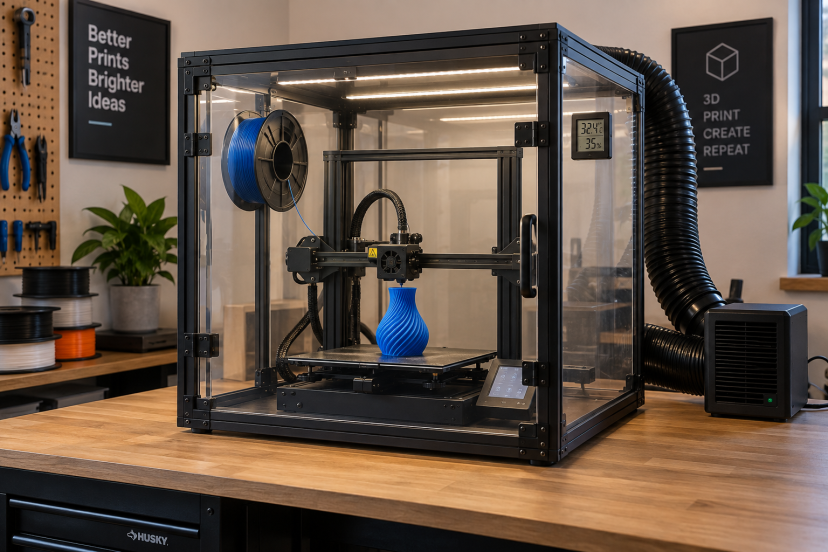
If you print with ABS, ASA, or other warp-prone filaments, room temperature can affect your results more than you might expect. Drafts and uneven cooling can cause lifted corners, cracks, and weak layers. The best 3D printer enclosure helps keep the air around your printer warmer and more stable. It can reduce temperature swings, improve print consistency, and make difficult materials easier to work with. You can keep the setup simple and still get good results. A basic fabric enclosure, acrylic box, or DIY cabinet can work well if it fits your printer and allows enough room for safe operation.
Why Temperature Control Matters in 3D Printing
FDM printing involves heating plastic and then allowing it to cool. Problems appear when different parts of the print cool at very different rates.
ABS is a classic example.
As ABS cools, it contracts. If the lower portion remains warm while the upper layers cool quickly, stresses develop inside the model. Eventually, those stresses can pull corners away from the bed.
Prusa describes sudden temperature differences as one of the main causes of warping in materials such as ABS, ASA, and PC. Reducing that thermal shock helps the printed object cool more evenly.
An enclosure does exactly that by creating a buffer between the print and the surrounding room.
If warping is already causing trouble, improving your 3D printer bed adhesion can help alongside better temperature control.
What Makes the Best 3D Printer Enclosure?
The most useful enclosure is not necessarily the most expensive one. What matters is how well it suits your printer.
Start with size. Your printer needs enough room for the bed, gantry, cables, spool system, and moving components to operate without touching the enclosure walls.
Then look at access. A large front door makes filament changes and maintenance much easier.
Visibility also helps. Clear acrylic panels or transparent windows let you monitor the print without opening the chamber and releasing warm air.
Finally, consider:
- Temperature monitoring
- Ventilation ports
- Cable openings
- Lighting
- Filter compatibility
- Stable construction
- Easy printer access
A basic thermometer inside the chamber is one of the simplest upgrades you can make.
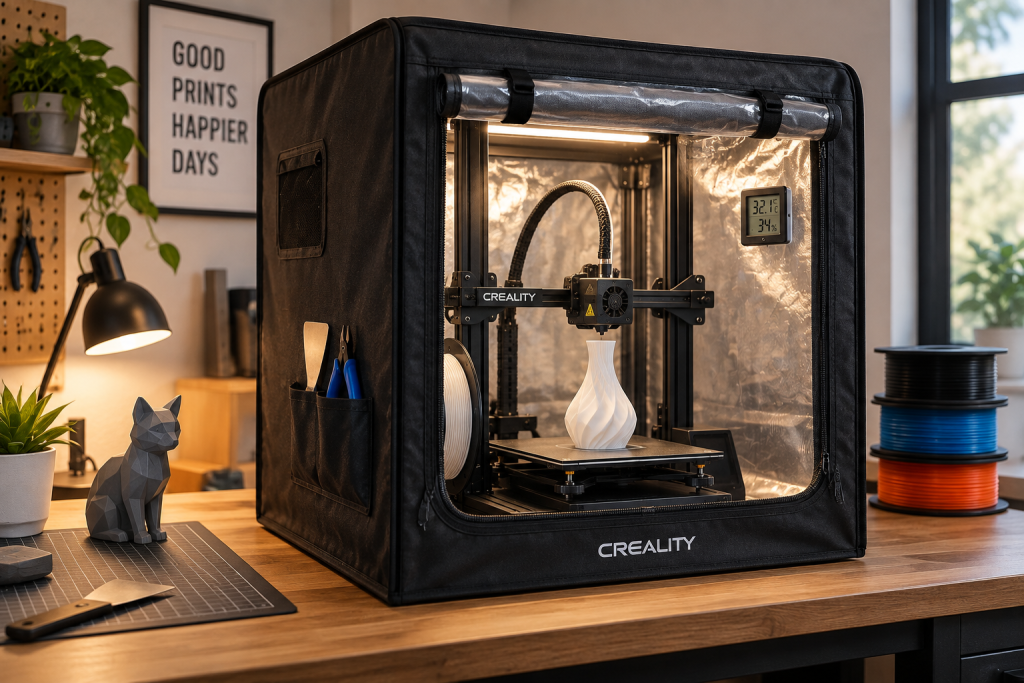
Idea 1: Fabric Tent Enclosure
A fabric enclosure is probably the easiest option for an open-frame printer.
These usually use a lightweight metal frame covered with an insulated fabric shell. A transparent front window allows you to watch the print.
They work particularly well with machines such as the Ender 3 because they require almost no modification.
Their biggest advantage is simplicity. Set up the frame, place the printer inside, route the cables correctly, and you have a more stable printing environment.
Creality’s own enclosure, for example, is designed specifically to reduce external temperature changes around compatible printers.
Fabric enclosures are also easy to fold away when you return to PLA printing.
Idea 2: Acrylic Panel Enclosure
If you want something more permanent, acrylic panels are a great step up.
Acrylic allows you to see the printer from almost every direction while still blocking drafts. You can build a frame from aluminum extrusion, wood, or printed corner brackets.
This setup also leaves plenty of room for customization.
You can add:
- LED lighting
- Temperature sensors
- Exhaust ducts
- Filtration
- Tool storage
- Cable pass-throughs
Acrylic enclosures generally look cleaner in a dedicated workshop as well.
Leave enough clearance around moving beds. A bed-slinger printer can require considerably more depth than its frame dimensions suggest.
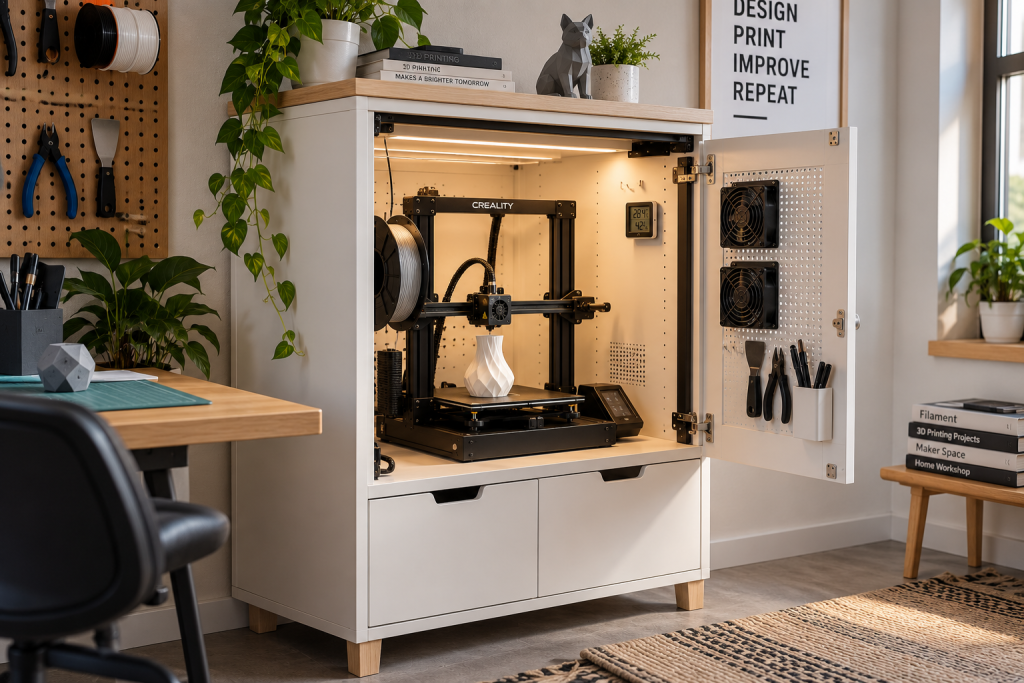
Idea 3: IKEA-Style DIY Cabinet
One of the most popular DIY enclosure approaches uses a small table or cabinet surrounding the printer.
The idea is simple: create a rigid frame and close the sides with acrylic, polycarbonate, or another suitable panel material.
It works because the printer itself generates plenty of heat.
Prusa’s enclosure testing explains that the goal is usually not extreme chamber temperatures. Instead, maintaining a stable environment and preventing drafts can significantly improve ABS printing. Their DIY example notes that even an enclosure around 35°C can make a meaningful difference.
Add a digital thermometer before experimenting with additional heating.
Idea 4: Ventilated Enclosure
Temperature control is only part of enclosure design.
Certain 3D printing materials may release very small airborne particles and chemical vapors as they heat. That means simply trapping warm air inside a box should not automatically be considered an air-quality solution.
NIOSH recommends engineering controls such as enclosed ventilation, local exhaust, and appropriate filtration for reducing exposure to 3D printer emissions.
Its newer safe 3D printing guidance reports that ventilated enclosure systems can substantially reduce particle emissions.
For ABS or similar materials, consider an enclosure with an exhaust connection or properly designed filtration system rather than relying on enclosure walls alone.
What Temperature Should a 3D Printer Enclosure Be?
There is no universal enclosure temperature.
The correct range depends on the filament, printer construction, electronics, and manufacturer recommendations.
For hobby-level ABS printing, you often do not need an actively heated industrial chamber. The printer’s heated bed can naturally raise the temperature inside a reasonably sealed enclosure.
Prusa notes that around 35°C can already help ABS layer adhesion and warping compared with an exposed printer.
However, hotter is not automatically better.
Power supplies, stepper motors, electronics, printed printer components, and other hardware may have temperature limits. Some equipment should remain outside a hot chamber.
Follow your printer manufacturer’s guidance rather than chasing the highest possible chamber temperature.
Which Filaments Benefit From an Enclosure?
ABS is one of the strongest candidates.
Prusa specifically recommends a warmer, enclosed environment for ABS because of its tendency to shrink and warp during cooling.
ASA, nylon, polycarbonate, polypropylene, and certain engineering composites may also benefit from reduced drafts and higher ambient temperatures.
PLA is different.
For everyday PLA printing, a closed enclosure can sometimes retain more heat than you want. Opening the door or increasing airflow may be necessary depending on the machine and room.
Before changing your enclosure setup, review the properties of the material you’re using in this 3D printing filament guide.
Recommended 3D Printer Enclosures
If you would rather buy than build, these are five useful enclosure styles and products to look for on Amazon.
1. VEVOR 3D Printer Enclosure
The VEVOR 3D Printer Enclosure is a practical option for users who want better temperature control without building a custom setup. Its enclosed design helps reduce drafts and keeps the air around the printer more stable during longer prints.
Best for: Users who want a ready-made enclosure with visibility and ventilation.
2. Creality 3D Printer Enclosure
Creality’s enclosure uses an insulated tent-style design intended to maintain a more stable environment around compatible printers.
It is easy to assemble and folds down when you do not need it.
Best for: Ender 3 and other compatible Creality machines
3. YOOPAI 3D Printer Enclosure
YOOPAI offers several enclosure sizes for open-frame printers, including versions with lighting.
The clear viewing window and portable design make it convenient for hobby rooms where a permanent cabinet would take up too much space.
Best for: Compact home workshops
4. Crafit 3D Printer Cabinet
Crafit’s cabinet-style systems take the idea further by combining printer storage with features such as ventilation, lighting, filament storage, and environmental monitoring.
Best for: Organized multi-purpose workstations
5. 3D Printer Enclosure With Ventilation Kit
Several Amazon enclosure kits combine a tent or cabinet with ventilation ports, lighting, and temperature monitoring.
These are worth considering if you plan to print ABS or ASA regularly because they give you more options for controlling both temperature and airflow.
Best for: Frequent engineering-filament printing
Conclusion
A good enclosure is really about consistency. By keeping drafts out and temperatures more stable, it can make a noticeable difference when printing materials like ABS, ASA, and polycarbonate. You do not need the most expensive setup, either. A simple fabric enclosure, acrylic cabinet, or well-planned DIY build can all work well. Focus on proper sizing, safe airflow, temperature monitoring, and compatibility with your printer. Get those basics right, and you will have a more reliable setup with fewer warped prints and less wasted filament.
FAQs
Do I really need a 3D printer enclosure?
Not for every filament. PLA and many PETG jobs work perfectly well on open-frame machines. ABS, ASA, PC, nylon, and other warp-prone materials benefit much more from stable chamber temperatures.
Does an enclosure stop ABS from warping?
It can greatly reduce the risk because it prevents rapid cooling and drafts. You still need correct bed temperature, first-layer calibration, filament settings, and bed adhesion.
Can I put a heater inside my enclosure?
Usually, you should first see what temperatures the heated bed produces naturally. Additional heating can expose electronics and printer components to temperatures they were not designed to handle.
Should I keep the enclosure closed when printing PLA?
Not necessarily. PLA often benefits from cooler surrounding air. Depending on your printer and room temperature, leaving the door partially or fully open may improve cooling.
Is a DIY enclosure worth building?
Absolutely, especially if you already have basic tools. A well-designed DIY enclosure can provide excellent temperature stability while allowing you to customize lighting, doors, ventilation, sensors, and storage.