Best PLA Filament For Home 3D Printing
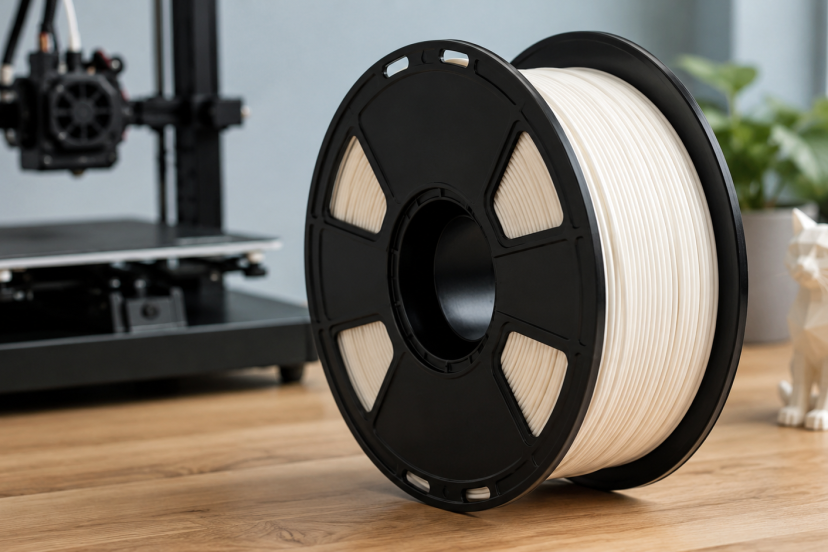
PLA filament is popular with home 3D-printing enthusiasts because it is easy to use, affordable, and versatile. However, filament quality can affect everything from layer adhesion to surface finish. A well-made spool can also reduce clogs, tangles, and failed prints. This guide compares five reliable options to help you choose the best PLA filament for your printer and projects.
Quick Picks: The Best PLA Filament at a Glance
| Product | Best for | Main strength | Possible drawback |
| Polymaker PolyLite PLA | Best overall | Predictable, beginner-friendly printing | Usually costs more than basic PLA |
| OVERTURE PLA+ | Functional household prints | Better toughness than standard PLA | May require temperature tuning |
| HATCHBOX PLA | Reliable everyday printing | Familiar, consistent behavior | Fewer performance benefits than PLA+ |
| SUNLU PLA | Budget-conscious makers | Good value for prototypes | Performance may differ between colors |
| eSUN PLA+ | Tougher models and parts | Strong layer bonding | May string when printed too hot |
What Makes a Good PLA Filament?
Consistent Diameter
Most home FDM printers use 1.75 mm filament. Small diameter changes can alter how much plastic enters the hot end, which may lead to uneven walls, rough surfaces, weak layers, or occasional jams.
Do not judge a spool only by the tolerance printed on the box. Reliable production control matters just as much.
Clean, Orderly Winding
A properly wound spool should unwind smoothly. Neat winding makes long prints less stressful and reduces the risk of the filament catching while the printer is unattended.
Always secure the filament end when you remove a spool. Letting the loose end slide beneath another loop may create a knot later. That is one small mistake with impressive spaghetti-making potential.
Predictable Temperature Behavior
The correct nozzle temperature depends on the filament formula, printer, speed, and hot-end design. PLA+ and high-speed blends often require different settings from standard PLA.
Start with the manufacturer’s suggested range, then print a temperature tower. A brief calibration test can save hours of troubleshooting.
The Right Finish and Strength
Glossy PLA displays colors well but may reveal layer lines. Matte PLA hides them better, while silk PLA suits decorative models that need a reflective finish.
PLA+ usually offers greater toughness than regular PLA. However, “PLA+” is not a standardized formula, so its strength, flexibility, and printing behavior vary between brands.
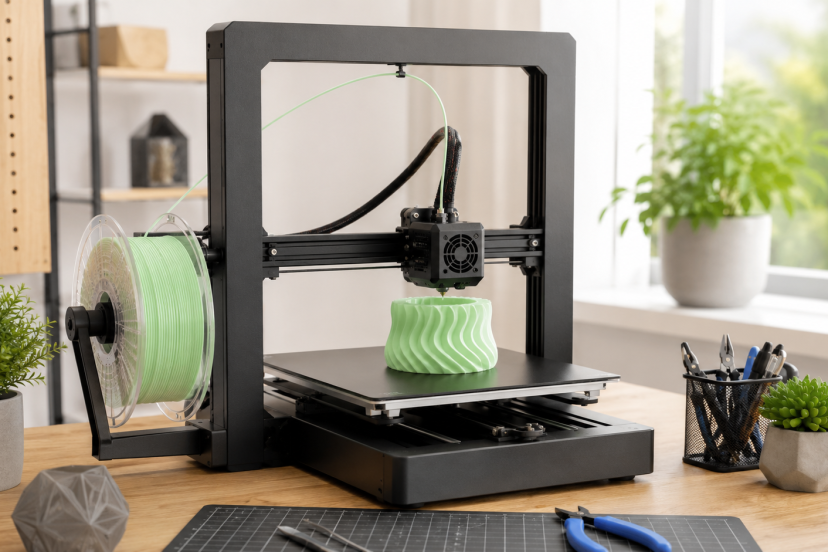
Five Recommended PLA Filaments on Amazon
1. Polymaker PolyLite PLA — Best Overall
Polymaker PolyLite PLA is a balanced choice for most home printers. Its easy to print using standard settings on many machines. It is also available in numerous solid colors and several spool sizes.
Choose it for prototypes, miniatures, desk accessories, enclosures, and display models. It is not the cheapest PLA filament, but predictable performance often justifies the difference.
Its broad compatibility also makes it useful when several printers share the same filament supply. Once you have built a reliable slicer profile, you should not need to recalibrate every time you load another spool of the same formula.
Best for: Makers who want dependable, versatile PLA without extensive tuning.
2. OVERTURE PLA+ — Best for Functional Home Prints
OVERTURE PLA+ suits brackets, storage accessories, tool holders, clips, and other parts that may receive light impacts. It is as stronger and more durable than standard PLA and states a diameter tolerance of ±0.02 mm.
PLA+ will not turn a printed hook into an engineering-grade component. However, the added toughness can make small household parts less brittle.
Print a test piece before starting a large project because PLA+ may need a slightly different temperature, cooling level, or retraction setting than regular PLA.
Best for: Practical prints that need more toughness than decorative models.
3. HATCHBOX PLA — Best Dependable Classic
HATCHBOX PLA has been a familiar option among hobbyists for years. Hatchbox lists its 1.75 mm filament with a stated dimensional accuracy of ±0.03 mm. Its current range includes traditional, matte, and performance-focused PLA varieties.
This is a sensible choice for calibration models, board-game inserts, figurines, school projects, drawer organizers, and everyday prototypes.
HATCHBOX PLA is especially appealing when you prefer conventional printing behavior over specialty features. Beginners can start with standard settings, while experienced users can refine the profile for cleaner bridges and overhangs.
Best for: Enthusiasts who want straightforward PLA from a widely recognized brand.
4. SUNLU PLA — Best Value
SUNLU PLA is appealing when you print prototypes, terrain pieces, storage bins, or other filament-hungry projects. It is a 1.75 mm, 1 kg spool with a stated ±0.02 mm dimensional accuracy. SUNLU also promotes its basic PLA as compatible with most 1.75 mm FDM printers.
Value is the main attraction. SUNLU regularly offers single spools and multipacks, making it practical for large projects or users who print frequently.
Run a temperature tower for each unfamiliar color. Pigments can slightly change how filament flows, bridges, and reflects light. For batch printing, complete one test part before covering the entire build plate.
Best for: Budget-focused makers and high-volume hobby printing.
5. eSUN PLA+ — Best for Tougher Models
eSUN PLA+ targets users who want easier printing than many engineering plastics but more durability than basic PLA. eSUN describes PLA+ as combining improved strength with approachable printing characteristics. It has a diameter of 1.75 mm and a stated accuracy of ±0.03 mm.
It suits cosplay components, moving prototypes, protective cases, controller stands, and models with thin features that might snap when printed in standard PLA.
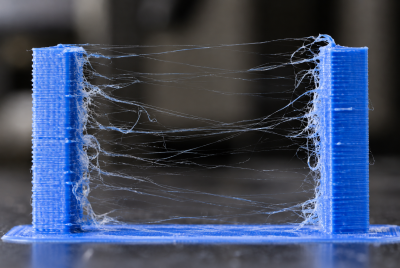
Watch the retraction and nozzle temperature. Excessive heat may increase stringing, especially between narrow posts or detailed sections.
Best for: Detailed or functional parts that benefit from improved impact resistance.
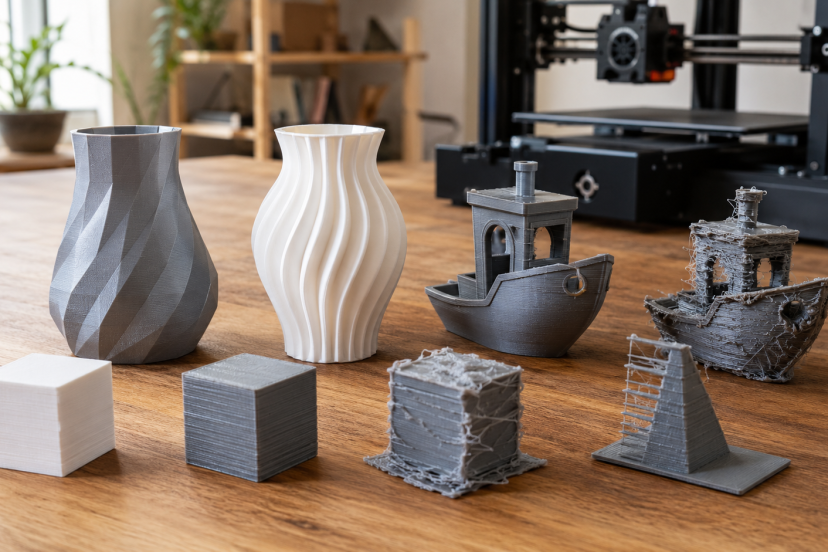
What Research Says About PLA Print Quality
Filament quality matters, but your slicer settings and model orientation can have an equally large effect on the finished part.
A comprehensive review of PLA in fused deposition modeling examined how nozzle temperature, layer height, print speed, raster angle, infill, and build orientation influence the mechanical properties of printed PLA parts.
The practical lesson is simple: buying premium filament cannot compensate for poor layer bonding or an unsuitable print orientation.
A newer study examining FDM parameters and PLA tensile properties also found that processing settings have a measurable effect on mechanical performance.
For stronger home prints, orient the model so the main force does not pull directly between the layers. You should also use enough nozzle heat to create good layer bonding without causing excessive stringing or soft details.
Tips for Better PLA Prints at Home
Keep PLA sealed with desiccant when you are not using it. Moist filament may produce popping sounds, rough surfaces, extra stringing, or inconsistent extrusion.
Clean the build plate before important jobs. Finger oils can cause first-layer problems even when the printer appears correctly leveled.
Use a temperature tower and retraction test for each unfamiliar formula. Save the results as a named slicer profile so you do not have to repeat the same experiments later.
For visible models, choose a smaller layer height and slow down the outer walls. This usually produces a cleaner surface without greatly increasing the printing time of internal sections.
When a finished model still has visible layer lines, this guide on how to sand 3D prints explains how to smooth the surface without removing important details.
Remember PLA’s heat limitations as well. Parts may soften inside hot cars, beside warm appliances, or near windows that receive intense sunlight. Choose a more heat- and weather-resistant filament when environmental durability matters more than easy printing.
Conclusion
The best PLA filament depends on your printer, project, and willingness to adjust your settings. Polymaker PolyLite PLA is the strongest all-around recommendation for predictable home printing.
OVERTURE PLA+ and eSUN PLA+ make more sense for tougher household parts. HATCHBOX PLA offers familiar everyday performance, while SUNLU PLA is the value pick for prototypes and filament-heavy projects.
Whichever spool you choose, test it before beginning a long print. Good filament helps, but careful storage, sensible temperatures, a clean first layer, and correct model orientation often make the greatest difference between a finished part and a colorful pile of spaghetti.
FAQs
Is PLA filament suitable for beginners?
Yes. PLA usually offers reliable bed adhesion, moderate printing temperatures, and less warping than many common filament types. It is a practical material for learning bed leveling, slicing, supports, and basic printer maintenance.
What nozzle temperature should I use for PLA?
Begin with the temperature range supplied by the manufacturer. Then use a temperature tower to find the best setting for your printer.
The ideal temperature depends on the nozzle, print speed, cooling, color, and whether you are using standard PLA, PLA+, matte PLA, or a high-speed blend.
Is PLA+ better than regular PLA?
PLA+ is often tougher and less brittle, which can help with functional parts. However, there is no universal PLA+ formula, so performance differs between manufacturers.
Standard PLA may still produce sharper details or cleaner decorative models, depending on the brand and printer profile.
Should PLA filament be dried before printing?
Fresh PLA often prints well directly from a sealed package. However, it can absorb moisture during storage.
Drying may help when you hear popping from the nozzle or notice rough extrusion, unusual stringing, weak layers, or inconsistent surface texture.
Can PLA be used for outdoor or high-temperature parts?
PLA is generally a poor choice for sustained heat or long-term outdoor exposure. Warm enclosed spaces, direct sunlight, and changing weather conditions may deform or weaken printed parts.
PETG, ASA, ABS, or another suitable material may perform better in demanding environments.