Top 10 Resin 3D Printers
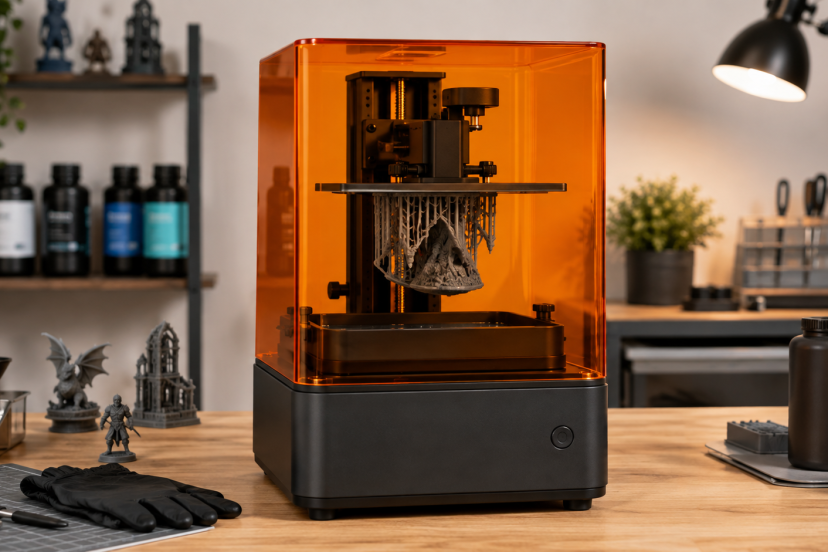
Resin 3D printers are hard to beat when a project needs sharp textures, smooth surfaces, and tiny features. They are popular for tabletop miniatures, jewelry masters, dental-style models, display pieces, and compact engineering prototypes.
However, the biggest resolution number is not automatically the best buy. Build volume, leveling, resin temperature, and software also matter. After comparing current Amazon US options, the ELEGOO Saturn 4 Ultra 16K stands out as the best overall choice for its balanced detail, capacity, and automation.
Our Top Picks
| Product | Best For | Key Feature | Rating | Read More |
| ELEGOO Saturn 4 Ultra 16K | Best overall | Heated vat and 16K screen | ★★★★⯪ | Read more |
| ELEGOO Mars 5 Ultra | Easy everyday use | Auto leveling and AI camera | ★★★★⯪ | Read more |
| Anycubic Photon Mono 4 Ultra | Compact detail | 7-inch 10K display | ★★★★⯪ | Read more |
| Anycubic Photon Mono M7 | Fast mid-size work | 14K screen and monitoring | ★★★★⯪ | Read more |
| ELEGOO Saturn 3 Ultra | Large-format value | Tall 12K build area | ★★★★⯪ | Read more |
| Phrozen Sonic Mini 8K S | Fine miniatures | 22-micron XY resolution | ★★★★⯪ | Read more |
| Phrozen Sonic Mighty Revo 14K | Premium users | Sensors and failure detection | ★★★★⯪ | Read more |
| ELEGOO Mars 4 9K | Budget detail | Affordable 9K printing | ★★★★⯪ | Read more |
| ELEGOO Jupiter 2 | Beginners | Automated resin system | ★★★★☆ | Read more |
| Creality HALOT-ONE | Low-cost learning | Wi-Fi and compact body | ★★★★⯪ | Read more |
Top 10 Resin 3D Printers Reviewed
1. ELEGOO Saturn 4 Ultra 16K

The Saturn 4 Ultra 16K balances fine detail with room for batches and larger models. It adds a 30°C heated vat, auto leveling, camera monitoring, a flip-up lid, and speeds up to 150 mm/h. Its build area measures about 8.33 x 4.66 x 8.66 inches.
Best for: Enthusiasts, studios, and batch printing
Key features: 16K LCD, heated vat, auto leveling, camera
Why we recommend it: It removes several routine setup chores without sacrificing capacity.
Pros: Excellent detail-to-volume balance; convenient workflow; roomy platform
Cons: Higher upfront cost; large jobs still need careful supports
2. ELEGOO Mars 5 Ultra

The compact Mars 5 Ultra combines a 9K screen with auto leveling, Wi-Fi, an AI camera, and speeds up to 150 mm/h. Its 6.04 x 3.06 x 6.49-inch build area fits miniatures, jewelry patterns, and small prototypes.
Best for: Beginners who want automation
Key features: 9K LCD, auto leveling, Wi-Fi, AI camera
Why we recommend it: It offers a friendly workflow and strong detail in a manageable footprint.
Pros: Easy setup; fast for its size; useful monitoring
Cons: Limited room for big props; camera cannot prevent every failure
3. Anycubic Photon Mono 4 Ultra

The Photon Mono 4 Ultra packs a 7-inch 10K screen, COB lighting, detection tools, and a claimed 120 mm/h top speed. Its 6.04 x 3.42 x 6.49-inch area suits miniatures and compact production runs.
Best for: Detailed printing in a small workspace
Key features: 10K screen, COB lighting, resin detection, fast mode
Why we recommend it: It delivers high pixel density without requiring a large bench.
Pros: Sharp output; sensible footprint; helpful alerts
Cons: Small for one-piece models; fewer community profiles than ELEGOO
4. Anycubic Photon Mono M7

The Photon Mono M7 uses a 10.1-inch 14K display with 16.8 x 24.8-micron pixels. Its roughly 8.77 x 4.96 x 9.05-inch build volume fits large figures or full plates, while smart detection flags common issues. This standard M7 does not include a heated vat.
Best for: Fast batches and medium-size models
Key features: 14K LCD, large plate, smart monitoring
Why we recommend it: It pairs fine detail with genuinely useful capacity.
Pros: Broad build plate; crisp output; workflow alerts
Cons: No heater; Amazon feedback may cover related variations
5. ELEGOO Saturn 3 Ultra

The Saturn 3 Ultra remains worth considering when discounted. It has a 10-inch 12K screen, Wi-Fi transfer, and a 218.88 x 122.88 x 260 mm build area suited to statues, terrain, and batches. Newer Saturns are easier, but this model has mature community support.
Best for: Large prints at a value price
Key features: 12K LCD, Wi-Fi, tall Z height
Why we recommend it: Sale pricing can make its spacious platform a bargain.
Pros: Large capacity; strong detail; established profiles
Cons: More manual workflow; poor value unless cheaper than newer models
6. Phrozen Sonic Mini 8K S

The Sonic Mini 8K S favors precision over size. Its 7.1-inch 8K display reaches a fine 22-micron XY resolution, preserving faces, engraved textures, and jewelry details. Its narrow build area favors small parts over scenery.
Best for: Miniatures, jewelry, and tiny components
Key features: 22-micron XY resolution, 8K LCD
Why we recommend it: It concentrates on the detail that small-scale artists actually notice.
Pros: Excellent fine features; compact; strong owner feedback
Cons: Narrow plate; limited smart conveniences
7. Phrozen Sonic Mighty Revo 14K

The Sonic Mighty Revo 14K pairs a 10.1-inch 14K display with 16.8 x 24.8-micron pixels and an 8.8 x 5.0 x 9.3-inch build volume. Sensors and failure detection add reassurance when a full plate represents hours of work and costly resin.
Best for: Small businesses and demanding hobbyists
Key features: 14K LCD, large volume, smart sensors
Why we recommend it: Its monitoring features suit expensive, time-sensitive batches.
Pros: Detailed output; versatile capacity; failure detection
Cons: Premium price; costlier accessories and consumables
8. ELEGOO Mars 4 9K

The Mars 4 9K is a straightforward value model with a 7-inch 9K display and compact build area. It lacks the camera, Wi-Fi workflow, and automatic leveling of the Mars 5 Ultra, but it still produces detailed figures and parts.
Best for: Budget-focused miniature makers
Key features: 9K LCD, compact frame, useful Z height
Why we recommend it: It directs the budget toward print quality rather than extras.
Pros: Crisp detail; simple design; broad community support
Cons: Manual leveling; dated convenience features
9. ELEGOO Jupiter 2

The ELEGOO Jupiter 2 is a large-format resin printer built for oversized models, production batches, and detailed prototypes. Its 14-inch 16K monochrome screen, heated resin vat, and 302.4 x 161.98 x 300 mm build area handle statues, masks, prop parts, and multiple models in one print. Automatic leveling and resin management simplify longer, resin-heavy projects.
Best for: Large models and high-volume printing
Key features: 16K LCD, automatic leveling, heated resin vat
Why we recommend it: It provides exceptional build capacity while adding useful automation for demanding projects.
Pros: Huge build volume; sharp detail; automatic resin feeding
Cons: Expensive; requires substantial workspace
10. Creality HALOT-X1

The HALOT-X1 is an older compact option with an integral light source, Wi-Fi, dual cooling, and activated-carbon filtration. It cannot match newer high-resolution machines, but a steep discount makes it useful for learning supports, exposure calibration, washing, and curing before upgrading.
Best for: Low-cost experimentation
Key features: Integral light, Wi-Fi, cooling, basic filter
Why we recommend it: Clearance pricing can make it a low-risk practice machine.
Pros: Compact; simple; often inexpensive
Cons: Aging screen and interface; worthwhile only when heavily discounted
How to Choose the Best Resin 3D Printer
Match the printer to the project. Miniatures and jewelry benefit from fine XY pixel size and even lighting. Statues and batches need build area more than another jump in “K” resolution.
Then examine the workflow. Automatic leveling, heated resin, cameras, Wi-Fi, and failure detection reduce routine work, but cannot fix poor supports or exposure. Budget for washing, curing, resin-safe tools, protective gear, and a controlled workspace. NIOSH recommends proper ventilation or other engineering controls, appropriate protective equipment, and planning for hazards across printing, cleaning, and maintenance.
Also check slicer support, replacement screens, community profiles, warranties, and accessory costs. Our guide to how SLA 3D printing works explains the process, while these methods for smoothing 3D prints can improve visible surfaces after printing.
Final Thoughts
Among current Resin 3D Printers, the ELEGOO Saturn 4 Ultra 16K is the best overall choice for detailed output, useful automation, and room to grow. The Mars 5 Ultra fits smaller workspaces, while the Phrozen Sonic Mini 8K S excels at tiny detail. Budget shoppers should compare the Mars 4 9K and Photon Mono 2, and consider older machines only when the discount clearly offsets their dated hardware.
Frequently Asked Questions
Are resin 3D printers better than filament printers?
Resin machines usually deliver smoother surfaces and finer detail, making them ideal for miniatures, jewelry masters, and display models. Filament printers are generally better for larger functional parts, lower-cost prototypes, and projects where size or material strength matters more than tiny surface features.
What resolution should a resin 3D printer have?
Do not compare “8K,” “12K,” and “16K” labels alone. Screen size affects pixel density, so examine XY pixel size too. Roughly 20–35 microns is excellent for detailed hobby work, although resin, exposure, supports, and calibration can influence results more than a small specification difference.
Do resin 3D printers need ventilation?
Yes. Put the printer and post-processing area in a controlled, well-ventilated workspace and follow the resin manufacturer’s safety data. NIOSH identifies potential chemical and particle exposure during printing and cleaning, and recommends engineering controls such as proper ventilation.
Is a wash-and-cure station necessary?
No, but it makes cleanup and curing more repeatable. Separate containers and UV curing can work, while a combined station reduces handling. Whichever method you use, follow the resin and solvent manufacturers’ handling, storage, and disposal directions.
How much should a beginner spend?
Choose a compact printer that preserves budget for safe handling and post-processing. Automatic leveling may be worth paying for if you expect frequent use. A high-resolution screen is less valuable when the workspace, exposure settings, supports, washing, or curing process is poorly planned.